
Turn everyday electricity use into a practical next step. Bring data quality, costs, operating schedules and ECO together for homes, stores, offices and industrial sites.
Demos use synthetic data. Deployment is scoped to your data, permissions and site conditions.
Put data to work
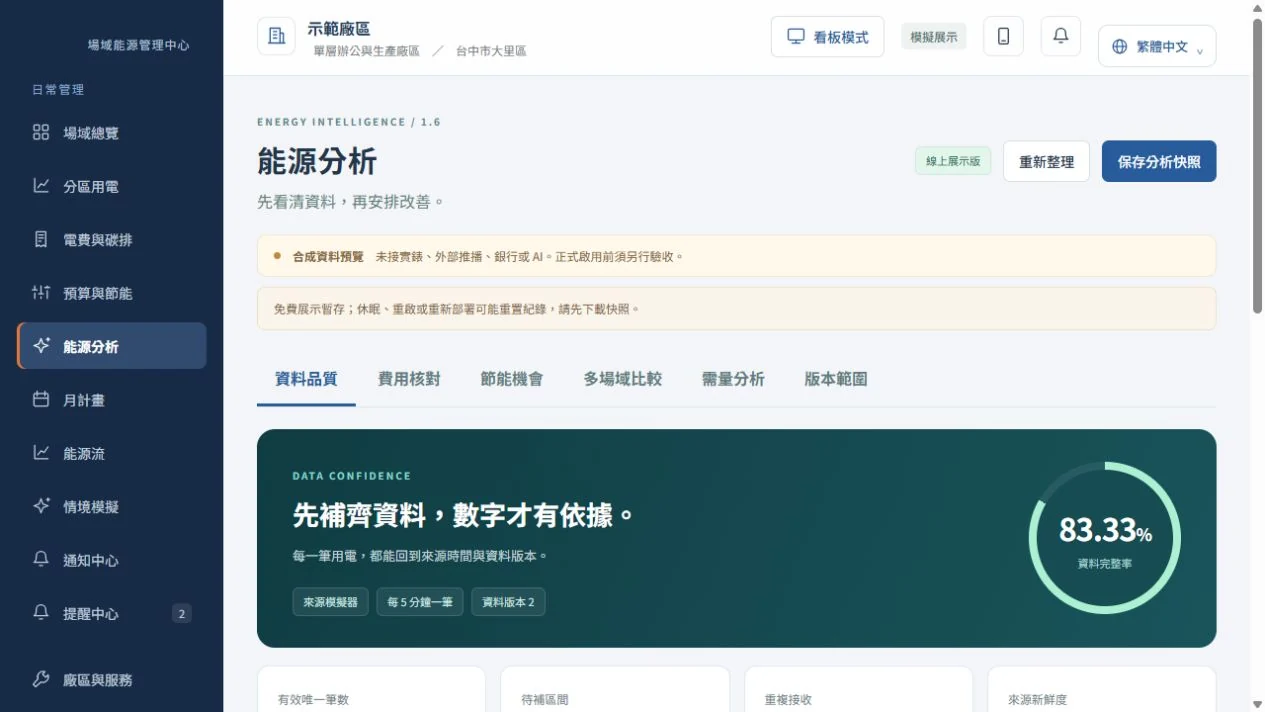
Start with data quality
Identify gaps, duplicates, stale readings and counter resets. Preserve before-and-after analysis snapshots and mark incomplete periods instead of treating unknown use as zero.
Compare energy and billed costs
Separate fixed, usage and other charges, with billing periods and tariff versions. The demo uses a Taiwan single-month test scenario; actual billing needs confirmed contracts, tariffs and bills.
Find actionable opportunities
Compare schedules, off-hours and sustained loads while excluding always-on equipment and approved overtime. Assign an owner, retain reasons and time-limit exclusions before measuring the outcome.
Compare sites and inspect demand
Compare authorized sites using operating hours, area or output. Demand analysis uses complete 15-minute intervals; missing denominators or incomplete periods remain unknown.
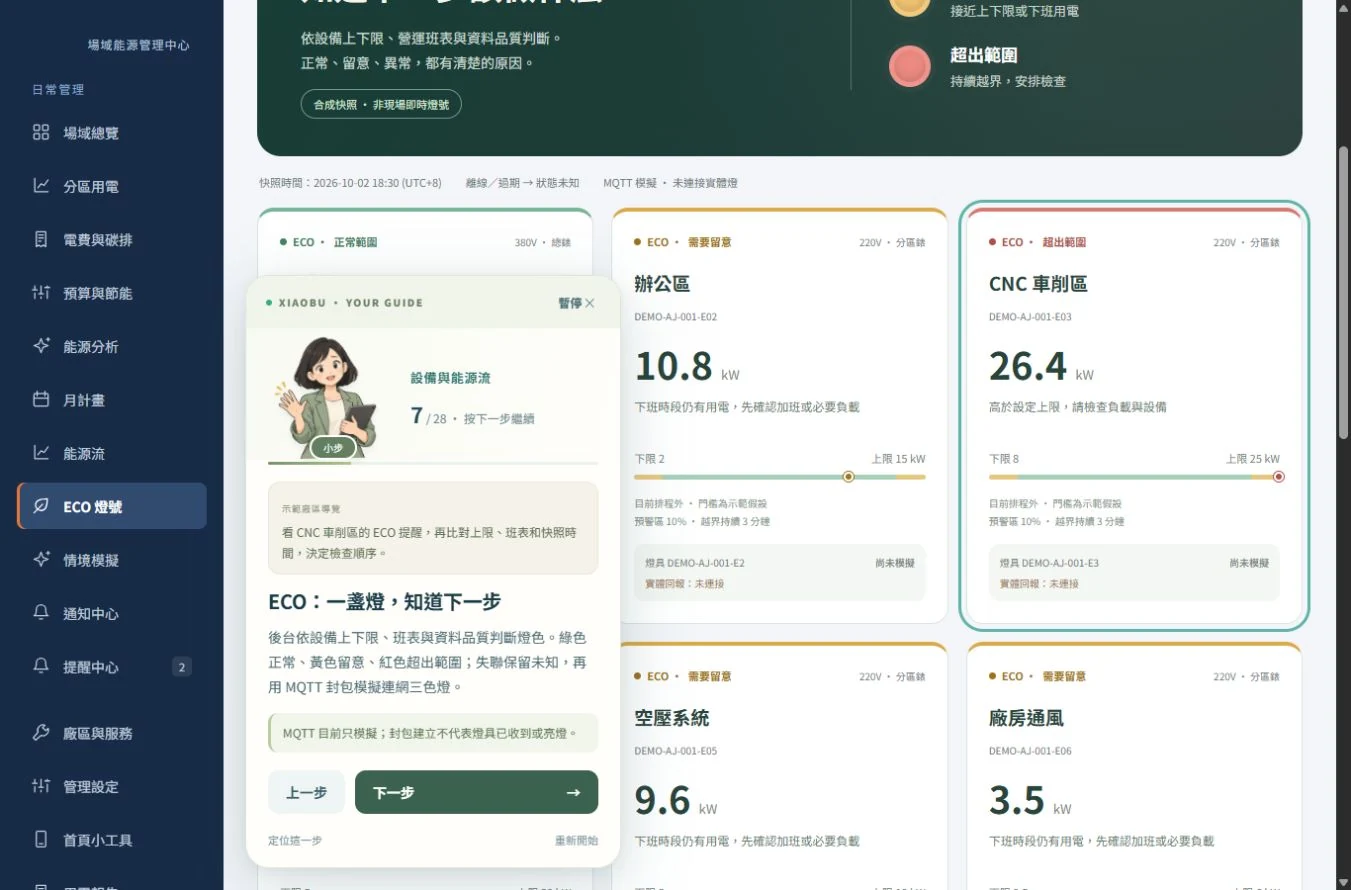
ECO: status, reason and next step
Use current or power, schedules and duration rules to explain green, yellow, red and unknown states. Distinguish equipment from zone ECO; offline or stale data does not retain a normal green status.
Reports, snapshots and site service
Preserve analysis conditions and versions alongside periodic reports, issue reporting and rental service. Operational reports, end-of-rental reports and savings-verification reports serve distinct purposes.
Three steps from task to outcome
- 01
Set the site baseline
Confirm zones, meters, schedules and tariffs.
- 02
Understand deviations
Check quality before comparing energy, costs and ECO.
- 03
Assign action and retain evidence
Assign owners, save analysis snapshots and follow improvements.
Inside the workspace
What you can take away
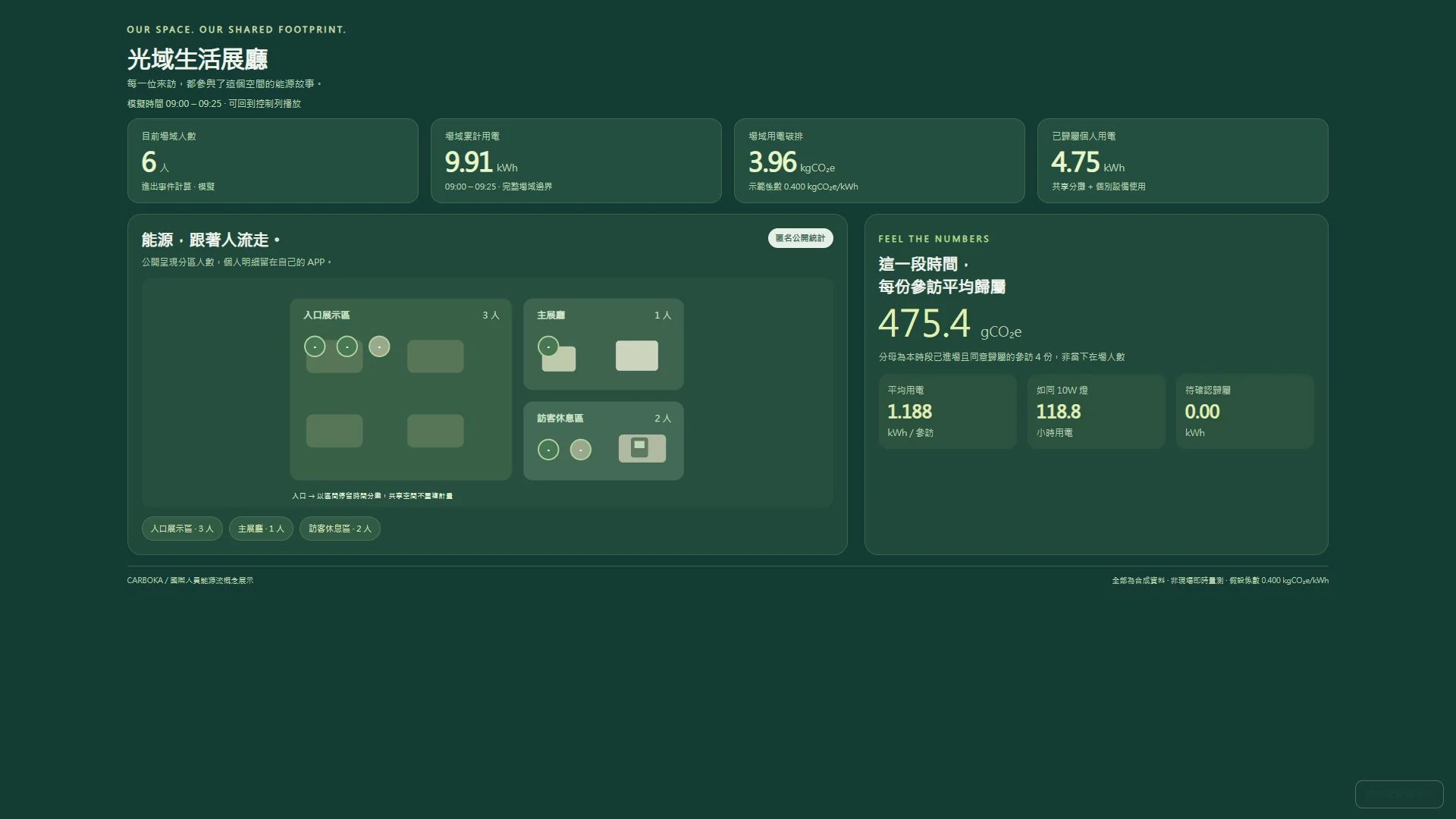
Quality summaries, cost-reconciliation records, opportunity lists, site comparisons and versioned snapshots. Savings opportunities are candidates to be verified.
Read the practical guideQuestions before deployment
Does a lower bill prove energy or carbon savings?
Not necessarily. Moving consumption to another time can reduce cost without reducing electricity. Compare cost, energy and emissions separately, using applicable tariffs, factors and measurement boundaries.
Are Android and external notifications production-ready?
The guide covers an offline Android debug demo and widget workflow. Production synchronization, background updates, external push and device/account acceptance still require work. Web access provides an initial walkthrough.
Start with your data and your priorities
Share your equipment or site type, current data sources and improvement goals. Together we can define the measurement scope, walkthrough and deliverables.